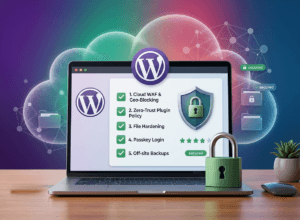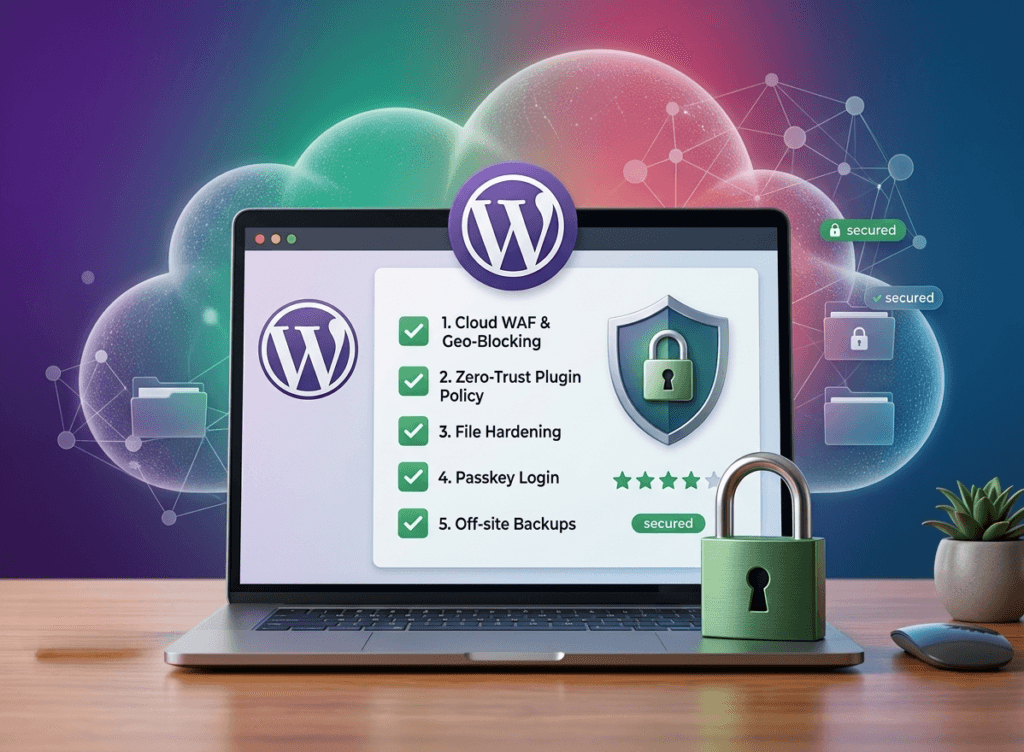
Your WordPress website is the digital face of your business. You have spent hours polishing the layout, writing content, and optimizing for speed. But as we move through Ultimate WordPress Security Checklist 2026, a beautiful design is no longer enough to keep you safe. Hackers are now using automated AI tools to scan millions of sites for a single unpatched plugin or a weak password.
I have seen business owners lose years of work in minutes because they thought it won’t happen to me. In 2026, security is not a set and forget task it is a continuous process of hardening your defenses. Here is the exact checklist I use to secure client websites against modern threats.
Why Your WordPress Website is a Target in 2026: Ultimate WordPress Security Checklist 2026
The threat landscape has shifted. While Wikipedia defines a cyberattack broadly, for WordPress users in 2026, the risk is highly specific. According to recent data, over 90,000 attacks hit WordPress sites every minute.
The problem is not WordPress itself the core software is incredibly secure. The danger lies in the doors we leave open. In 2026, AI powered botnets can guess thousands of passwords per second and identify Zero-Day vulnerabilities in plugins before developers even realize there is a bug. If you are not proactive, you are not just a target; you are a victim waiting to happen.
Step 1: Replace Passwords with Passkeys (WebAuthn)
Traditional passwords are the weakest link in your security chain. Even a “strong” password can be stolen through sophisticated phishing or session hijacking. In 2026, the gold standard is Passkeys.
Passkeys use WebAuthn technology, allowing you to log in using your device’s biometrics (fingerprint or Face ID) or a physical security key like a YubiKey.
Why Passkeys Beat Passwords:
Phishing Proof: There is no code to type into a fake website.
No Database Leaks: Since the server only stores a public key, even a full database breach won’t give hackers access to your account.
User Experience: Logging in is as fast as unlocking your phone.
Action Item: Install a plugin like Passwordless or use the native Passkey support in high end security suites to disable password logins for all Administrator accounts.
Step 2: The Zero Trust Plugin Policy
Plugins account for nearly 97% of all WordPress vulnerabilities in 2026. Many developers have abandoned their projects, leaving “abandoned” code on your server that hackers love to exploit.
The 2026 Plugin Audit:
| Action | Purpose | Frequency |
| Delete Inactive Plugins | Reduces the “attack surface” of your site. | Monthly |
| Check Patchstack | Verifies if your current plugins have known bugs. | Weekly |
| Enable Auto-Updates | Patches critical flaws the moment they are fixed. | Daily |
I recently audited a local business site that had 42 active plugins. After consolidating features, we reduced it to 12. Their security risk dropped by 70% instantly. If a plugin hasn’t been updated in 6 months, find an alternative.
Step 3: Hardening the wp config.php and File Permissions
Your wp config.php file is the brain of your website. It contains your database credentials and security keys. If a hacker gets read access to this file, your site is finished.
Essential Hardening Steps:
Move the File: You can move
wp config.phpone directory above your WordPress root. Most servers will still find it, but standard bot scanners will not.Disallow File Editing: Add this line to your config file to stop hackers (and even your own staff) from editing theme or plugin files directly from the dashboard:
define( DISALLOW_FILE_EDIT, true )Correct Permissions: Ensure your folders are set to
755and files to644. Never, under any circumstances, use777permissions
Step 4: Deploy a Cloud Based Firewall (WAF)
A plugin based firewall is good, but a cloud-based Web Application Firewall (WAF) is better. A cloud WAF like Cloudflare or Bunny.net stops malicious traffic before it even reaches your server.
In 2026, we are seeing a massive rise in AI driven Brute Force attacks. These bots don’t just guess “password123”; they mimic human behavior to bypass simple “Limit Login Attempt” plugins. A cloud WAF uses global threat intelligence to identify these patterns and block them at the DNS level.
Pro Tip: If you sell only in Pakistan, you can use “Geo Blocking” to block all login attempts coming from outside the country. This single step eliminates 90% of global bot traffic. Best for Ultimate WordPress Security Checklist 2026.
Step 5: Real Time Malware Monitoring & Off-Site Backups
If the worst happens, you need a way back. Most hosting “backups” are stored on the same server as your website. If the server is compromised or the disk fails, your backup dies with the site.
The 2026 Backup Rule:
Off-Site: Store backups on Amazon S3, Google Drive, or Dropbox.
Immutable: Use a system where backups cannot be deleted or modified by the WordPress site itself (to prevent ransomware).
Malware Scanning: Use tools like Wordfence or Sucuri to perform deep server side scans. Some modern malware is stealthy it only shows spam to Google searchers but looks clean to you.
Frequently Asked Questions (FAQ)
Q: Will security plugins slow down my website?
A: Some can, but a properly configured firewall (especially at the cloud level) actually improves performance by blocking “bad” bot traffic that wastes your server resources.
Q: Is “Admin” still a bad username?
A: Yes. It is the first name every bot tries. If your username is still admin, create a new user with a unique name, give them Administrator rights, and delete the old “admin” account immediately.
Q: Do I need security if I have an SSL certificate?
A: SSL (HTTPS) only encrypts the data between the visitor and the server. It does not stop a hacker from entering your site through a vulnerable plugin. You need both.
Final Thoughts: Prevention is Cheaper Than Recovery
Fixing a hacked website in 2026 is expensive. Between developer fees for malware removal and the loss of Google rankings (Google will flag your site as “Unsafe”), the cost can easily exceed $500. Spending an hour today on this checklist is the best investment you can make for your business.
I specialize in WordPress Security Hardening and Speed Optimization. If you are worried about your site’s safety or need a professional audit to ensure your business is protected, I am here to help.
Need a professional security audit? Contact Raja Saeed today for a free consultation and let’s lock down your website.
About the Author:
Raja Saeed is a Senior WordPress Developer and Security Specialist with over 3 years of experience. He has helped dozens of businesses in Pakistan and abroad build fast, secure, and SEO friendly websites that convert visitors into customers.